Sunday, July 19, 2020

Relational Database Management System(RDBMS)

RELATIONAL DATABASE MANAGEMENT SYSTEM


SQL (short for structured query language) is an industry-standard language specifically designed to enable people to create databases, add new data to databases, maintain the data, and retrieve selected parts of the data.

Various kinds of databases exist, each adhering to a different conceptual model.

SQL was originally developed to operate on data in databases that follow the relational model. 

Recently, the international SQL standard has incorporated part of the object model, resulting in hybrid structures called object-relational databases. In this Blog, I discuss data storage, devote a section to how the relational model compares with other major models, and provide a look at the important features of relational databases.

Before I talk about SQL, however, first things first:

I need to nail down what I mean by the term database. Its meaning has changed as computers have changed the way people record and maintain information.

What Is a Database:

The term database has fallen into loose use lately, losing much of its original meaning. To some people, a database is any collection of data items (phone books, laundry lists, parchment scrolls . . . whatever).


Other people define the term more strictly.

A database as a self-describing collection of integrated records. And yes, that does imply computer technology, complete with languages such as SQL.

 A record is a representation of some physical or conceptual object. Say, for

example, that you want to keep track business’s customers.

You assign a record for each customer. Each record has multiple attributes, such as name,address, and telephone number. Individual names, addresses, and so on are the data.

A database consists of both data and metadata. Meta data is the data that describes the data’s structure within a database. If you know how your data is arranged, then you can retrieve it. Because the database contains a description of its own structure, it’s self-describing. The database is integrated because it includes not only data items but also the relationships among data items.

The database stores meta data in an area called the data dictionary, which describes the tables, columns, indexes, constraints, and other items that make up the database.

DBMS:


DBMS means Database Management System.


What Is a Database Management System:


A Database management system (DBMS) is a set of programs used to define,administer, and process databases and their associated applications.

The database being “managed” is, in essence, a structure that you build to hold valuable data. A DBMS is the tool you use to build that structure and operate on the data contained within the database.

Many DBMS programs are on the market today. Some run only on mainframe computers, some only on minicomputers, and some only on personal computers.

A strong trend, however, is for such products to work on multiple platforms or on networks that contain all three classes of machines.

A DBMS that runs on platforms of multiple classes, large and small, is called scalable.

Whatever the size of the computer that hosts the database and regardless of whether the machine is connected to a network the flow of information between database and user is the same.

In the below figure shows that the user communicates with the database through the DBMS. The DBMS masks the physical details of the database storage so that the application need only concern itself with the logical characteristics of the data, not how the data is stored.


Advantages of Database Management System:


1. Allows remote login.

2.Eases the problem for mobility because of number1(remote login)

3.Allows sharing of research and other works.eg like we are doing now(sharing)

4.Makes it for the database administrator to monitor user activities.

5.Provides necessary security to protect the data stored.

RDBMS:

A relational database management system (RDBMS) is a database management system

(DBMS) that is based on the relational model as introduced by E. F. Codd.

Most popular commercial and open source databases currently in use are based on the

relational model.

A short definition of an RDBMS may be a DBMS in which

data is stored in the form of tables and the relationship among the data

is also stored in the form of tables.


Advantages of RDBMS:

Consistency:

Data is guarantees to be consistent. Irrespective of the number of Custom Web Design simultaneously accessing it. An RDBMS always implements suitable locking mechanisms to prevent data inconsistency. A transaction either goes through fully or not at all i.e. it is either “committed “or “rolled back”.


Recoverability:

Irrespective of the type of failure, it is always possible to recover the data base upto

the most recent consistent state. This means that if recovery measures are correctly implemented you would not lose all days work. And thus no need to reenter.


Distributability:

Database can be distributed in more than one physical location. Irrespective of this, application’s view of the database remains same as though it is in a single location. Applications need not undergo any change if the distribution of the data changes.


Support for IV generation languages: (4GL):


RDBMS support 4GL. Today, there is even a standard 4GL in the structured query Language (SQL) form. The main difference between 4GLs and 3GLs is that in the former the user needs to specify what is required and not how it has to be done.


Transaction rules:

Rules, processes and constraints can be integral part of the data bases. This ensures that all transactions must obey these rules if they are to be successful. This offers a single point control.


Database:

A database is a collection of information that is organized so that it can easily be accessed, managed, and updated.


Saturday, July 18, 2020

Steps to Create Oracle Database Manually

The steps involved how to create a database manually. These steps should be followed in the order presented. Before you create the database make sure you have done the planning about the size of the database, number of tablespaces and redo log files you want in the database.

Regarding the size of the database you have to first find out how many tables are going to be created in the database and how much space they will be occupying for the next 1 year or 2. The best thing is to start with some specific size and later on adjust the size depending upon the requirement

Plan the layout of the underlying operating system files your database will comprise. Proper distribution of files can improve database performance dramatically by distributing the I/O during file access. You can distribute I/O in several ways when you install Oracle software and create your database. For example, you can place redo log files on separate disks or use striping. You can situate datafiles to reduce contention. And you can control data density (number of rows to a data block).

Select the standard database block size. This is specified at database creation by the DB_BLOCK_SIZE initialization parameter and cannot be changed after the database is created. For databases, block size of 4K or 8K is widely used

Before you start creating the Database it is best to write down the specification and then proceed

The examples shown in these steps create an example database testdb

Let us create a database testdb with the following specification

Database name and System Identifier

SID=testdb
DB_NAME=testdb

TABLESPACES
-------------------
(we will have 6 tablespaces in this database. With 1 datafile in each tablespace)

Tablespace Name Datafile Location Size
---------------------------------------------------------

SYSTEM /u01/oracle/oradata/test/sys.dbf  500M
USERS /u01/oracle/oradata/test/user.dbf 100M
UNDOTBS /u01/oracle/oradata/test/undo.dbf 100M
TEMP /u01/oracle/oradata/test/temp.dbf 100M
INDEX_DATA /u01/oracle/oradata/test/indx.dbf 100M
SYSAUX /u01/oracle/oradata/test/sysaux.dbf 100M

LOGFILES
--------------

(we will have 2 log groups in the database)
------------------------------------------------

Logfile Group Member Location Size
-------------------------------------------------

GROUP 1 /u01/oracle/oradata/test/log1.ora  10M
GROUP 2 /u01/oracle/oradata/test/log2.ora 10M


CONTROL FILE
---------------------

(We will have 1 Control File in the following location)
--------------------------------------------------------------

/u01/oracle/oradata/test/control.ora

PARAMETER FILE 
------------------------

( use normal parameter file for now, later on we can switch to SPFile)

/u01/oracle/dbs/inittestdb.ora

(remember the parameter file name should of the format init<sid>.ora and it should be in ORACLE_HOME/dbs directory in Unix o/s and ORACLE_HOME/database directory in windows o/s)


Now let us start creating the database.
-------------------------------------------

Step 1: Login to oracle account and make directories for  your database.
--------------------------------------------------------------------

$ mkdir /u01/oracle/oradata/test
$ mkdir /u01/oracle/oradata/test/bdump
$ mkdir /u01/oracle/oradata/test/udump
$ mkdir /u01/oracle/oradata/test/recovery

Step 2: Create the parameter file by copying the default template (init.ora) and set the required parameters
--------------------------------------------------------------------

$ cd /u01/oracle/dbs
$ cp init.ora  inittestdb.ora

        Now open the parameter file and set the following parameters

$ vi inittestdb.ora

DB_NAME=testdb
DB_BLOCK_SIZE=8192
CONTROL_FILES=/u01/oracle/oradata/test/control.ora
UNDO_TABLESPACE=undotbs
UNDO_MANAGEMENT=AUTO
SGA_TARGET=500M
PGA_AGGREGATE_TARGET=100M
LOG_BUFFER=5242880
DB_RECOVERY_FILE_DEST=/u01/oracle/oradata/test/recovery
DB_RECOVERY_FILE_DEST_SIZE=2G

         # The following parameters are required only in 10g or earlier versions

BACKGROUND_DUMP_DEST=/u01/oracle/oradata/test/bdump
USER_DUMP_DEST=/u01/oracle/oradata/test/udump

         After entering the above parameters save the file by pressing    "Esc :wq"

Step 3: Now set ORACLE_SID environment variable and start the instance.
--------------------------------------------------------------------

$ export ORACLE_SID=testdb

$ sqlplus
Enter User: / as sysdba
SQL>startup nomount


Step 4: Give the create database command      
--------------------------------------------------

 I am not specifying optional setting such as language, characterset etc. For these settings oracle will use  
the default values. I am giving the bare minimum command to create the database to keep it simple.

The command to create the database is  

SQL> create database testdb
    datafile ‘/u01/oracle/oradata/test/sys.dbf’ size 500M
    sysaux datafile ‘/u01/oracle/oradata/test/sysaux.dbf’ size 100m
    undo tablespace undotbs
    datafile ‘/u01/oracle/oradata/test/undo.dbf’ size 100m
    default temporary tablespace temp
    tempfile ‘/u01/oracle/oradata/test/tmp.dbf’ size 100m
    logfile
            group 1 ‘/u01/oracle/oradata/test/log1.ora’ size 50m,
            group 2 ‘/u01/oracle/oradata/test/log2.ora’ size 50m;

             After the command finishes you will get the following message

   Database created.

If you are getting any errors then see accompanying messages. If no accompanying messages are shown then
you have to see the alert_testdb.log file located in BACKGROUND_DUMP_DEST directory, which will show the
exact reason why the command has failed. After you have rectified the error please delete all created files in
u01/oracle/oradata/test directory and again give the above command.


Step 5:  above command finishes, the database will get mounted and opened. Now create additional  tablespace
--------------------------------------------------------------------
              

         To create USERS tablespace

SQL> create tablespace users
datafile ‘/u01/oracle/oradata/test/user.dbf’ size 100M;

        To create INDEX_DATA tablespace

SQL>create tablespace index_data
 datafile ‘/u01/oracle/oradata/test/indx.dbf’ size 100M

Step 6:  Populate the database with data dictionaries and to install  procedural options execute the following scripts
--------------------------------------------------------------------
           

        First execute the CATALOG.SQL script to install data dictionaries

 SQL>@/u01/oracle/rdbms/admin/catalog.sql

        The above script will take several minutes. After the above script is finished run the CATPROC.SQL script to install procedural option.

SQL>@/u01/oracle/rdbms/admin/catproc.sql

         This script will also take several minutes to complete.


Step 7: Change the passwords for SYS and SYSTEM account, since the default passwords change on install  known by everybody.
--------------------------------------------------------------------

SQL>alter user sys identified by test123;
SQL>alter user system identified by test123;


Step 8: Create Additional user accounts. 
----------------------------------------------

SQL>create user scott default tablespace users identified by tiger quota 10M on users;
SQL>grant connect to scott;
SQL>create user chaitanya default tablespace users identified by chaitu123 quota 10M on users;
SQL>grant connect to chaitanya;

Step 9: Add this database SID in listener.ora file and restart the listener process.
--------------------------------------------------------------------

$ cd /u01/oracle/network/admin     

$ vi listener.ora

           (This file will already contain sample entries. Copy and paste one sample entry and edit the SID setting)

       LISTENER =
          (DESCRIPTION_LIST =
            (DESCRIPTION =
             (ADDRESS =(PROTOCOL = TCP)(HOST=192.168.100.1)(PORT = 1521))
            )
          )
        SID_LIST_LISTENER =
          (SID_LIST =
            (SID_DESC =
              (SID_NAME = PLSExtProc)
              (ORACLE_HOME =/u01/oracle)
              (PROGRAM = extproc)
            )
                        (SID_DESC =
              (SID_NAME=orcl)
             (ORACLE_HOME=/u01/oracle)
            )
           )


                #Add these lines in SID_LIST_LISTENER at the bottom of file

                         (SID_DESC =
              (SID_NAME=testdb)
             (ORACLE_HOME=/u01/oracle)
            )

                 Save the file by pressing Esc :wq

                 Now restart the listener process.

     $ lsnrctl stop
    $ lsnrctl start

Step 10:  Take a full database backup after you just created the database.
--------------------------------------------------------------------


x

Friday, July 17, 2020

Linux usefull Commands for Oracle Dba


Unix Commands


Windows - DOS - Command line interpreter
Redhat - Unix - Cli

Many flavours

Redhat - 90% - 8,7.10
Oracle Linux (same redhat)
AIX(IBM)
Solaris (Oracle)
Ubunto (Open Source)
Centos(O-S)
HP-Unix (HP)

Terminal

On Desktop - > right click - > Open Terminal

Finding hostname/servers/host/device/box/asset
#hostname

Finding ipaddress
#ifconfig

in windows : ipconfig


Finding usage
#df -h

In kilobytes
#df -k


Changing Directory
#cd /softwares

#cd /orabackup

Present working directory
#pwd

Listing files and folders
#ls
with details

What permissions/file/folder/owner/group/public?

#ls -ltr
eg:
drwxr-xr-x   root    root    testd
-rwxr--r--   oracle  oinstall  testf

The first character defines

d - ?   directory / folder
- - ?   file

r - read
w - write
x - execute

Owner group public
rwx r-x r-x
root root all

rwx r-- r--
oracle   oinstall all


Creating empty file
#touch testfile

If your filesystem goes in to read only mode,
to test it , will create empty file with touch.

Inform to system admin team

Creating/Make Directory/folder
#mkdir testd

Removing a Directory
#rmdir testd

Removing a file
#rm testfile

move to previous directory
#cd ..

Removing a directory with subfiles and folders
#rm -rf testd

Note:
-r  ? recursive ( including subfiles and folders)
-f  ? force

Copying a file
#cp testfile /orabackup

Moving afile / Renaming a file
#mv testfile testf
or
#mv testfile /orabackup

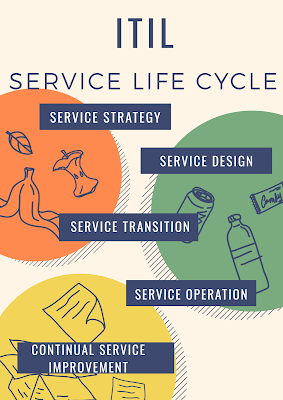
ITIL Process

ITIL Process Introduction In this Blog i am going to explain  ITIL Process, ITIL stands for Information Technology Infrastructure Library ...