Showing posts with label Performance Tuning. Show all posts

Friday, September 18, 2020

ASH Report in Oracle

 ASH Report in Oracle


Introduction


The ASH Report in Oracle contains recent information on active sessions sampled every second,The AWR and ADDM report will taken every one hour genetates and one hour old report will not generate and will not help in diagnosis issues that are in the current database


The ASH Report in Oracle report is an integral part of the oracle database self-management framework and is extremely useful for diagnosing performance problems


ASH Report in Oracle,difference between awr and ash report,oracle ash report,generate ash report,ash report analysis,awr and ash report in oracle,generate ash report for sql_id,awr addm ash reports,awr ash and addm reports,generate ash report in oem 12c,ash oracle 12c,ash report in oracle 11g,ash report in oracle 12c rac


The ASH Report in Oracle gathers sampled data at the session level rather than at the instance level by capturing statastics for only active sessions ,ASH report collects a manageable set of data


ASH Report in Oracle these are the parameters below are the following


  • SQL identifier of a SQL statement

  • Object number,file number,and block number

  • Wait event identifier and parameters

  • Session identifier and session serial number

  • Module and action name

  • Client identifier of the session


Let us start the process


In this blog i am going to explain ASH Report in Oracle  in single instance database and Rac database and also i am going to tell detailed in ASH report manually 

The AWR and ADDM report will taken every one hour genetates Report

Here i am using  ORCL database and ORCL instance in this example


The ashrpt.sql SQL script generates an HTML or text report that displays ASH information for a specified duration.


To generate an ASH report:


Login to sqlplus / as sysdba


Step 1: At the SQL prompt, enter:


SQL>@$ORACLE_HOME/rdbms/admin/ashrpt.sql


or 


SQL@?/rdbms/admin/ashrpt.sql

ASH Report in Oracle,difference between awr and ash report,oracle ash report,generate ash report,ash report analysis,awr and ash report in oracle,generate ash report for sql_id,awr addm ash reports,awr ash and addm reports,generate ash report in oem 12c,ash oracle 12c,ash report in oracle 11g,ash report in oracle 12c rac

ASH Report in Oracle,difference between awr and ash report,oracle ash report,generate ash report,ash report analysis,awr and ash report in oracle,generate ash report for sql_id,awr addm ash reports,awr ash and addm reports,generate ash report in oem 12c,ash oracle 12c,ash report in oracle 11g,ash report in oracle 12c rac


ASH Report in Oracle,difference between awr and ash report,oracle ash report,generate ash report,ash report analysis,awr and ash report in oracle,generate ash report for sql_id,awr addm ash reports,awr ash and addm reports,generate ash report in oem 12c,ash oracle 12c,ash report in oracle 11g,ash report in oracle 12c rac


Step 2.: Specify whether you want an HTML or a text report:

ASH Report in Oracle,difference between awr and ash report,oracle ash report,generate ash report,ash report analysis,awr and ash report in oracle,generate ash report for sql_id,awr addm ash reports,awr ash and addm reports,generate ash report in oem 12c,ash oracle 12c,ash report in oracle 11g,ash report in oracle 12c rac

ASH Report in Oracle,difference between awr and ash report,oracle ash report,generate ash report,ash report analysis,awr and ash report in oracle,generate ash report for sql_id,awr addm ash reports,awr ash and addm reports,generate ash report in oem 12c,ash oracle 12c,ash report in oracle 11g,ash report in oracle 12c rac

ASH Report in Oracle,difference between awr and ash report,oracle ash report,generate ash report,ash report analysis,awr and ash report in oracle,generate ash report for sql_id,awr addm ash reports,awr ash and addm reports,generate ash report in oem 12c,ash oracle 12c,ash report in oracle 11g,ash report in oracle 12c rac


Enter value for report_type: html


In this example, a html report is chosen.


Step 3:. Specify the begin time in minutes before the system date:


ASH Report in Oracle,ash report generation,ash report analysis,ash report for rac,ash report vs awr report,ash_report_analytics,ash report activity over time,ash report for a particular session,what is a ash report,ash report analysis in oracle 11g,generate ash report in oem 12c

ASH Report in Oracle,ash report generation,ash report analysis,ash report for rac,ash report vs awr report,ash_report_analytics,ash report activity over time,ash report for a particular session,what is a ash report,ash report analysis in oracle 11g,generate ash report in oem 12c

ASH Report in Oracle,ash report generation,ash report analysis,ash report for rac,ash report vs awr report,ash_report_analytics,ash report activity over time,ash report for a particular session,what is a ash report,ash report analysis in oracle 11g,generate ash report in oem 12c


Enter value for begin_time: -10


In this example, 10 minutes before the current time is selected.


Step 4.: Enter the duration in minutes that the report for which you want to capture ASH information from the begin time.

ASH Report in Oracle,ash report generation,ash report analysis,ash report for rac,ash report vs awr report,ash_report_analytics,ash report activity over time,ash report for a particular session,what is a ash report,ash report analysis in oracle 11g,generate ash report in oem 12c

ASH Report in Oracle,ash report generation,ash report analysis,ash report for rac,ash report vs awr report,ash_report_analytics,ash report activity over time,ash report for a particular session,what is a ash report,ash report analysis in oracle 11g,generate ash report in oem 12c

ASH Report in Oracle,ash report generation,ash report analysis,ash report for rac,ash report vs awr report,ash_report_analytics,ash report activity over time,ash report for a particular session,what is a ash report,ash report analysis in oracle 11g,generate ash report in oem 12c


Enter value for duration:


In this example, the default duration of system date minus begin time is accepted.


Step 5: Specify the Report  name, or accept the default report name:

ASH Report in Oracle,ash report generation,ash report analysis,ash report for rac,ash report vs awr report,ash_report_analytics,ash report activity over time,ash report for a particular session,what is a ash report,ash report analysis in oracle 11g,generate ash report in oem 12c

ASH Report in Oracle,ash report generation,ash report analysis,ash report for rac,ash report vs awr report,ash_report_analytics,ash report activity over time,ash report for a particular session,what is a ash report,ash report analysis in oracle 11g,generate ash report in oem 12c


Enter value for report_name:

Using the report name : / u01/ash.html


In this example, ASH report ash.html is generated. The report will gather ASH information beginning from 10 minutes before the current time and ending at the current time.


To generate an ASH report in an Oracle RAC environment:


Step1: At the SQL prompt, enter:


SQL@$ORACLE_HOME/rdbms/admin/ashrpti.sql


Step2: Specify whether you want an HTML or a text report:


Enter value for report_type: html


In this example, an HTML report is chosen.


Step 3: A list of available database IDs and instance numbers are displayed:


Instances in this Workload Repository schema


DB Id         Inst Num   DB Name      Instance Host

----------- -------- ------------ ------------ ------------

2206262418 2    ORCLorcl localhost1660

2206262418 1    OMALL341 omallt341 cha341

2206262418 2    OMALL341 omallt342 cha342

2206262418 3   OMALL341 omallt343 cha343

2206262418 4    OMALL341 omallt344 cha344


Enter the values for the database identifier (dbid) and instance number (inst_num):


Enter value for dbid: 2206262418

Using database id: 2206262418

Enter instance numbers. Enter 'ALL' for all instances in an Oracle

RAC cluster or explicitly specify list of instances (e.g., 1,2,3).

Defaults to current instance.

Enter value for inst_num: ALL

Using instance number(s): ALL


Step 4: Specify the begin time in minutes before the system date:


Enter value for begin_time: -1:10


In this example, 1 hour and 10 minutes before the current time is selected.


Step 5:. Enter the duration in minutes that the report for which you want to capture ASH information from the begin time:


Enter value for duration: 10


In this example, the duration is set to 10 minutes.


Step 6:. Specify the slot width in seconds that will be used in the Activity Over Time section of the report:


Enter value for slot_width:


In this example, the default value is accepted.


Step 7: Follow the instructions as explained in the subsequent prompts and enter values for the following report targets:


* target_session_id

* target_sql_id

* target_wait_class

* target_service_hash

* target_module_name

* target_action_name

* target_client_id

* target_plsql_entry


Step 8: Enter a report name, or accept the default report name:


Enter value for report_name:

Using the report name ashrpt_rac_0210_0232.txt


In this example, the default name is accepted and an ASH report named ashrpt_rac_0210_0232 is generated. The report will gather ASH information on all instances belonging to the database with a database ID value of 2206262418 beginning from 10 minutes before the current time and ending at the current time.


Note: Info on ASH Report in Oracle itmay be differ in your environment like production,testing,development etc


THANKS FOR VIEWING MY BLOG FOR MORE UPDATES FOLLOW ME OR SUBSCRIBE ME


Thursday, July 30, 2020

ADDM REPORT IN ORACLE FOR PERFORMANCE TUNING


ADDM REPORT IN ORACLE FOR PERFORMANCE TUNING
---------------------------------------------------------------------------------

Introduction
----------------

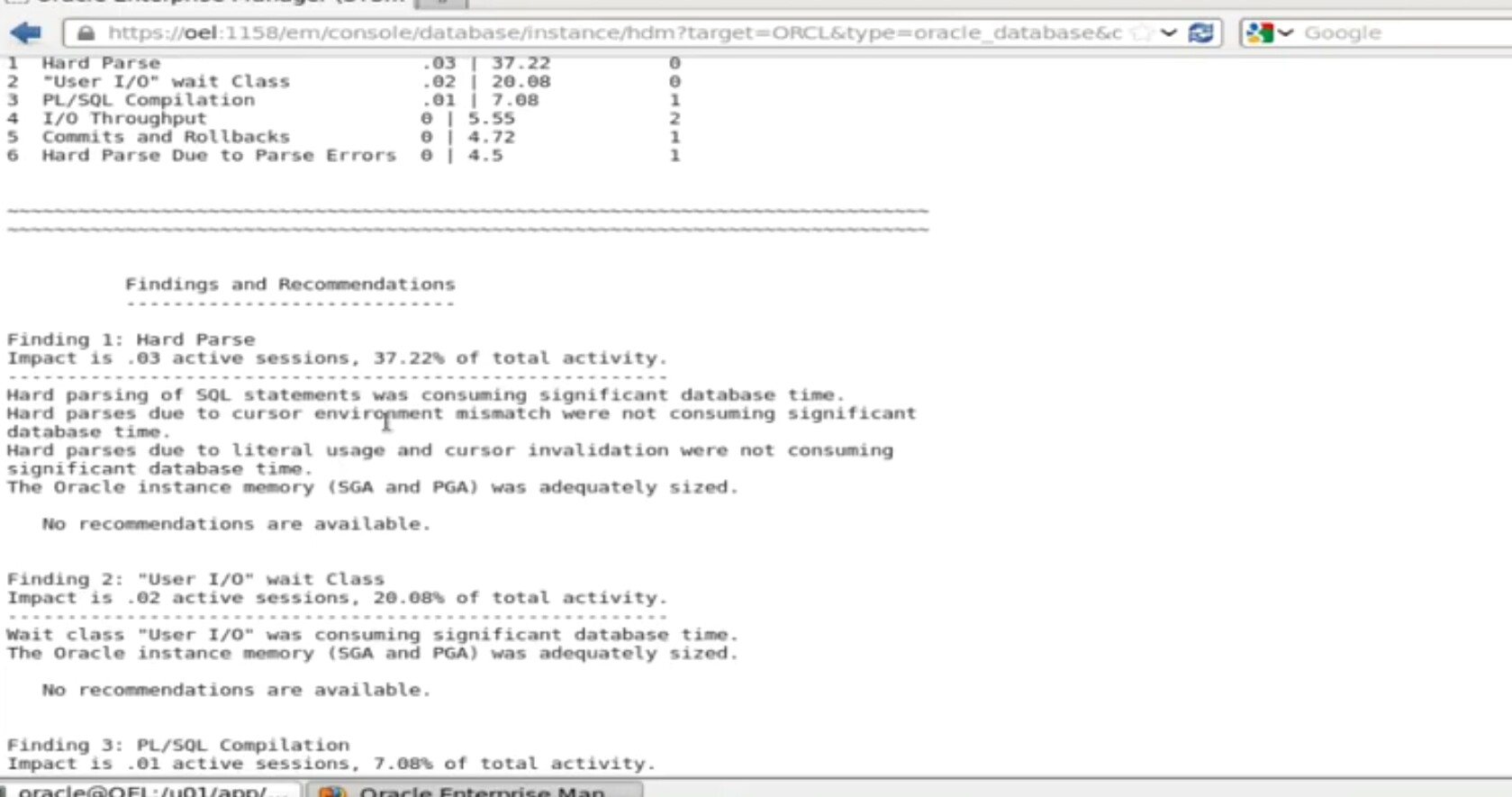
ADDM : Aotomatic Database Diagnostic Monitor is a self Diagnostic engine built in oracle database ,ADDM examines and analyze data captured in the AWR to determine possible performance problems

  In oracle database,ADDM uses database time statastics to identify performance problems,ADDM compares the difference between snapshots,by default AWR generates snapshots of performance data ,once every hour,alternatively you can modify the default values of both the interval between snapshots and their retention period,analyze your current database prformance when its hanging or  running slow using ADDM is a server based expert that reviews the database performance every 1 hr by default, its goal is to detect possible bottle necks early and recommended fixes before  system performance degrades noticably.


ADDM Analysis Include following
-------------------------------------------

Cpu load

Memory Usage

I/O Usage

Resources intensive sql

Rseources Intensive pl/sql ,java

RAC issues

Application Issues

Database configuration issues

Concurrency issues

Hardware Changes

Schema Changes

Application Changes

Using other advisors

Sql tuning advisor

Sql acecss advisor

Memory advisor----------> pga advisor----->buffer cache advisor,shared pool advisor,java pool advisor,streams pool advisor

Space advisor-----------> segmemt advisor,undo advisor

Backup -----------------> MTTR advisor


ADDM report can be generated from sql* plus using addmrpt.sql

$ ORACLE_HOME/rdbms/admin/

$ ls -ltr

$ ls -ltr | grep addmrpt*

$ sqlplus '/as sysdba'

connected to database


chaitanyaoracledba


sql>@?/rdbms/admin/addmrpt.sql

when run the script itshows the current instance like dbid  ,dbname ,instnum, instance . Instance in the workload repository schema  and host name also

we can query in sql also snapshots by using  sql query


chaitanyaoracledba


sql>select snap_id from dba_hist_snapshot;


specify the begin and end snapshot ids

chaitanyaoracledba


enter the value for begin_snap :8

begin snapshot id specified:8

             
chaitanyaoracledba

enter value for end_snap: 11

end snapshot id specified: 11

specify the report name : dccaddmrpt.html 

it will generate the report in dccaddmrpt.html format using winscp we can copy this file 


chaitanyaoracledba


chaitanyaoracledba


chaitanyaoracledba

chaitanyaoracledba

chaitanyaoracledba

chaitanyaoracledba

chaitanyaoracledba


Note : Info on ADDMRPT it may be differ from your environment like production, development and testing 


THANKS FOR VIEWING MY BLOG FOR MORE UPDATES FOLLOW ME OR SUBSCRIBE ME


AWR REPORT PERFORMANCE TUNING

 AWR REPORT PERFORMANCE TUNING
-----------------------------------------------------

Introduction
---------------

 Automatic work load Repository report or AWR report collects,processes and maintain performance statistics for problem detection and self tuning process.This gathered data is stored both in memory and in the database,and is dispalyed in both reports and views. 

 AWR was introduced in oracle 10g  and it is still being used in present versions and AWR is comes with enterprise edition

 Performance Tuning in oracle database

 The AWR is a source for information and other oracle feature it includes

 Wait events for identity performance problems

 Time model statstics

 AWR is used to collect performance statastics

 Storing dataabase statastics performance tuning

 Active session history (ASH)

AWR Snapshots performance and dash board database load instanse status and top wait events( snapshot exactly tells the what happening in database in particular time)

AWR snapshot everthing will be recorded in snapshot id like we taking any RMAN backups,blockings,deadlock) for that snapshotid we can take exact time what happening

AWR Report will be genated database should be coninuos running . 

AWR Report comes with enterprsie addition (licencesing that diagnostics and performance)

AWR reports will be stored in sysaux tables when the time of installation.

every hour snapshot will taken


let us go the process
---------------------------------------------


                               whether my database is up and running 

chaitanyaoracledba


$ ps - ef | grep pmon

let us connect with sql plus

$ sqlplus '/as sysdba'

check my database version

chaitanyaoracledba


sql>select * from v$ version;

sql >oracle database 12c enterprise edition release 12.1.0.2.0  64 bit production

 parameter statastics_level


chaitanyaoracledba


sql>show parameter control_management_pack_access;

value -->DIAGNOSTIC+TUNING


$ cd $ /ORACLE_HOME


chaitanyaoracledba


$ cd /data/oracle/app/oracle/product/12.1.0/db_home/rdbms/admin/

$ ls - ltr

$ ls - lrt | grep awrrpt *


chaitanyaoracledba


@ awrrpt.sql  lets run the sequel


chaitanyaoracledba

 it will shows the current instance---->DBID 22850381 DBNAME -->prod  instnum-->1

AWR report can be genated in the following formats like  html,txt


enter the value of report type : html

enter the value of num days    :2


chaitanyaoracledba


chaitanyaoracledba


specify the begin snapshot  and end snapshot id

enter the value of begin snapshot id :135

enter the value  for end snaphot id :137

enter the value for report _name :dcc.html

exit

$ cd /data/oracle/app/oracle/product/12.1.0/db_home/rdbms/admin/


$ ls -ltr

dcc.html


sql>$ oracle_home/dbms/admin/awrrpt.sql


chaitanyaoracledba


we cannot see htmll file here in linux platform  so that we can go winscp toool copy that file to desktop you will see the dcc.html and open the report in windows platform


chaitanyaoracledba


chaitanyaoracledba


Note :  info on AWR report performance tuning it may be differ from your environment like production,testing,development directory structures


THANKS FOR VIEWING MY BLOG FOR MORE UPDATES FOLLOW ME OR SUBSCRIBE ME

ITIL Process

ITIL Process Introduction In this Blog i am going to explain  ITIL Process, ITIL stands for Information Technology Infrastructure Library ...