Thursday, August 20, 2020

TNS-12542 TNS Address Already in Use


Problem


While start the listener is prod database getting an error like  this TNS-12542: TNS:address already in use


LSNRCTL for Linux: Version 12.1.0.2.0 - Production on 20-AUG-2020 06:06:57


Copyright (c) 1991, 2017, Oracle.  All rights reserved.


Starting /oracle/app/oracle/product/12.1.0.2/dbhome/bin/tnslsnr: please wait...


TNSLSNR for Linux: Version 12.1.0.2.0 - Production

System parameter file is /oracle/app/oracle/product/12.1.0.2/dbhome/network/admin/listener.ora

Log messages written to /oracle/app/oracle/diag/tnslsnr/dbaclass-host/listener_prod/alert/log.xml

Listening on: (DESCRIPTION=(ADDRESS=(PROTOCOL=tcp)(HOST=chaitanya-host)(PORT=1524)))

Error listening on: (DESCRIPTION=(ADDRESS=(PROTOCOL=TCP)(HOST=chaitanya-host)(PORT=1524)))

TNS-12542: TNS:address already in use ---- >>>

TNS-12560: TNS:protocol adapter error

  TNS-00512: Address already in use

  Linux Error: 125: Address already in use


Listener failed to start. See the error message(s) above...


Solution


To find the solution we need to check the Listener file listener.ora


LISTENER_PROD =

  (DESCRIPTION_LIST =

    (DESCRIPTION =

      (ADDRESS = (PROTOCOL = TCP)(HOST = chaitanya-host)(PORT = 1524)) --- >>>

      (ADDRESS = (PROTOCOL = TCP)(HOST = chaitanya-host)(PORT = 1524)) --- >>>


    )

  )


SID_LIST_LISTENER_PROD =

  (SID_LIST =

    (SID_DESC =

      (SID_NAME = PRODDB)

      (ORACLE_HOME = /oracle/app/oracle/product/12.1.0.2/dbhome)

    )

  )


Inside the listener file we have found that two address entries in the same host and same port number (1524) so starting the listener it will get the conflict so unable to start the database


(ADDRESS = (PROTOCOL = TCP)(HOST = chaitanya-host)(PORT = 1524))

      (ADDRESS = (PROTOCOL = TCP)(HOST = chaitanya-host)(PORT = 1524))


To fix the error in give different port numbers for both the address entries


The listener will look like this after change the port numbers


LISTENER_PROD =

  (DESCRIPTION_LIST =

    (DESCRIPTION =

      (ADDRESS = (PROTOCOL = TCP)(HOST = chaitanya-host)(PORT = 1524)) --- >>>

      (ADDRESS = (PROTOCOL = TCP)(HOST = chaitanya-host)(PORT = 1525)) --- >>>


    )

  )


SID_LIST_LISTENER_PROD =

  (SID_LIST =

    (SID_DESC =

      (SID_NAME = PRODDB)

      (ORACLE_HOME = /oracle/app/oracle/product/12.1.0.2/dbhome)

    )

  )


Now start the listener 


# lsnrctl start LISTENER_PROD


LSNRCTL for Linux: Version 12.1.0.2.0 - Production on 20-AUG-2020 06:15:09


Copyright (c) 1991, 2017, Oracle.  All rights reserved.


Starting /oracle/app/oracle/product/12.1.0.2/dbhome/bin/tnslsnr: please wait...


TNSLSNR for Linux: Version 12.1.0.2.0 - Production

System parameter file is /oracle/app/oracle/product/12.1.0.2/dbhome/network/admin/listener.ora

Log messages written to /oracle/app/oracle/diag/tnslsnr/chaitanya-host/listener_prod/alert/log.xml

Listening on: (DESCRIPTION=(ADDRESS=(PROTOCOL=tcp)(HOST=chaitanya-host)(PORT=1524)))

Listening on: (DESCRIPTION=(ADDRESS=(PROTOCOL=tcp)(HOST=chaitanya-host)(PORT=1525)))


Connecting to (DESCRIPTION=(ADDRESS=(PROTOCOL=TCP)(HOST=chaitanya-host)(PORT=1524)))

STATUS of the LISTENER

------------------------

Alias                     LISTENER_PROD

Version                   TNSLSNR for Linux: Version 12.1.0.2.0 - Production

Start Date                20-AUG-2020 06:15:09

Uptime                    0 days 0 hr. 0 min. 0 sec

Trace Level               off

Security                  ON: Local OS Authentication

SNMP                      OFF

Listener Parameter File   /oracle/app/oracle/product/12.1.0.2/dbhome/network/admin/listener.ora

Listener Log File         /oracle/app/oracle/diag/tnslsnr/chaitanya-host/listener_prod/alert/log.xml

Listening Endpoints Summary...

  (DESCRIPTION=(ADDRESS=(PROTOCOL=tcp)(HOST=chaitanya-host)(PORT=1524)))

  (DESCRIPTION=(ADDRESS=(PROTOCOL=tcp)(HOST=chaitanya-host)(PORT=1525)))

Services Summary...

Service "PRODDB" has 1 instance(s).

  Instance "PRODDB", status UNKNOWN, has 1 handler(s) for this service...

The command completed successfully


Listener started successfully.


Listener started sucessfully and listener listening in on both the ports 1524 and 1525 so ports should be unique for each address in the listener


THANKS FOR VIEWING MY BLOG FOR MORE UPDATES FOLLOW ME OR SUBSCRIBE ME


ORA-00257 Archiver Error Connect Internal Only Until Freed

 ORA-00257: Archiver Error ,Connect Internal Only Until Freed


Problem


when an application users using database unable to connect to the database aplication log shows the error


ORA-00257:archiver error, connect internal only untill freed

ORA-16014:log1 sequence# 280 not archived,no available destinations

ORA-00312:online log1 thread 1:'/oradata/prod/redo01.log'


Solution


This error comes ,when the archive destination is full and there is no space availability in the destination location archivelogs


Check archivelog destination location


SQL> archive log list

Database log mode              Archive Mode

Automatic archival             Enabled

Archive destination            /archive/PROD

Oldest online log sequence     14

Next log sequence to archive   18

Current log sequence           18


There are different solution for this Error rectification


Option-1:  Delete old archive logs to free up space using Rman utility


rman target /

delete archivelog all completed before 'sysdate-1';


Option-2: Change the archive log location 


incase you cannot  delete the archive logs from the destination location or existing location,then we can change the archive destination to some other mount point 


SQL>show parameter log_achive_dest;


NAME                     TYPE                     VALUE

log_archive_dest      string                  LOCATION =/archive/prod


SQL>alter  system set log_archive_dest= 'LOCATION=/u03/backupdest/archive/prod'  scope=both;


SQL>show parameter log_achive_dest;


NAME                     TYPE                     VALUE

log_archive_dest      string                  LOCATION =u03/backupsest/archive/prod


switch log file


alter sytem switch logfile;


THANKS FOR VIEWING MY BLOG FOR MORE UPDATES FOLLOW ME OR SUBSCRIBE ME

Wednesday, August 19, 2020

ORA-30034 Undo Tablespace Cannot Be Specified As Temporary Tablespace


ORA-30034 :Undo Tablespace Cannot Be Specified As Temporary Tablespace


While Creating an user in temp tablespace user got an error  ORA-30034 :Undo tablespace cannot be specified as temporary tablespace


SQL> create user CHAITANYA  identified by chai123 default tablespace USERS TEMPORARY TABLESPACE UNDOTBS03;


create user CHAITANYA  identified by chai123 default tablespace USERS TEMPORARY TABLESPACE UNDOTBS03;


ERROR ar line 1:


ORA-30034 : Undo tablespace cannot be specified as temporary tablespace


Solution


We cannot set an Undo tablespace has a temporay tablespace for the user ,UNDOTBS03 is a undo tablespace ,so we have to give temp name for the tablespace then it will create user  


 SQL>select distinct tablespace_name from DBA_UNDO_EXTENTS;


TABLESPACE_NAME

----------------------------


UNDOTBS03


SQL>show parameter undo_tablespace;


NAME                   TYPE                VALUE

-------------------------------------------------

undo_tablespace      string              UNDOTBS03


always assign an temp tablespace as temporary  tablespace for an user not for undotablesapce


SQL> create user CHAITANYA  identified by chai123 default tablespace USERS TEMPORARY TABLESPACE TEMP;


user created


THANKS FOR VIEWING MY BLOG FOR MORE UPDATES FOLLOW ME OR SUBSCRIBE ME

ORA-32773 Operation not Supported for SmallFile Tablespace


ORA-32773 : Operation not Supported for SmallFile Tablespace


ORA-ERROR 32773 : Operation not Supported for SmallFile Tablespace


Problem: While Enabling autoextend for a Tablespace,it will get an error like ORA-32773 :Operation not supported for small file table space


SQL>alter tablespace CHAITANYASMALLTBS autoextend on;


alter tablespace CHAITANYASMALLTBS autoextend on

*

ERROR ar line 1:

ORA_32773:operation not supported for small file tablespace  CHAITANYASMALLTBS


Solution:


A standard tablespace that is small file tablespace can have multiple datafiles,so if you want to enable or disable autoextend on so you have done for each datafile not for tablespace  it cannot be done directly on the tablespace


SQL>select tablespace_name,BIGFILE from dba_tablespaces where tablespace_name like 'CHAITANYASMALLTBS';


TABLESPACE_NAME                     BIGFILE

------------------------------------------------------------


CHAITANYASMALLTBS                     NO


SQL>select tablespace_name,file_name,AUTOEXTENSIBLE from dba_data_file where tablespace_name like 'CHAITANYASMALLTBS';


TABLESPACE_NAME        FILE_NAME               AUT

--------------------------------------------------------------------


CHAITANYASMALLTBS  /oradata/prod/chaitu01.dbf     NO


CHAITANYASMALLTBS  /oradata/prod/chaitu02.dbf     NO


CHAITANYASMALLTBS  /oradata/prod/chaitu03.dbf     NO


SQL>alter database datafile '/oradata/prod/chaitu01.dbf' autoextend on;


Database altered;


SQL>alter database datafile '/oradata/prod/chaitu02.dbf' autoextend on;


Database altered;


SQL>alter database datafile '/oradata/prod/chaitu03.dbf' autoextend on;


Database altered;


SQL>select tablespace_name,file_name,AUTOEXTENSIBLE from dba_data_file where tablespace_name like 'CHAITANYASMALLTBS';


TABLESPACE_NAME        FILE_NAME               AUT

--------------------------------------------------------------------


CHAITANYASMALLTBS  /oradata/prod/chaitu01.dbf     YES


CHAITANYASMALLTBS  /oradata/prod/chaitu02.dbf     YES


CHAITANYASMALLTBS  /oradata/prod/chaitu03.dbf     YES


In BIGFILE TABLESPACE we can do autoextensible in tablelevel also but it have only one datafile 


SQL> create bigfile tablespace CHAITANYABIGFTBS datafile '/oradata/prod/chaitubigfile01.dbf' size 2G;


Tablespace Created.


SQL>select tablespace_name,file_name,AUTOEXTENSIBLE from dba_data_files where tablespace_name like 'CHAITANYABIGFTBS';


TABLESPACE_NAME        FILE_NAME                                     AUT

--------------------------------------------------------------------------------


CHAITANYABIGFTBS         /oradata/prod/chaitubigfile01.dbf         NO


SQL>select tablespace_name,BIGFILE from dba_tablespaces where tablespace_name like ' CHAITANYABIGFTBS';


TABLESPACE_NAME               BIG

--------------------------------------------


CHAITANYABIGFTBS                YES


SQL>alter tablespace CHAITANYABIGFTBS autoextend on;

Tablespace altered


SQL>select tablespace_name,file_name,AUTOEXTENSIBLE from dba_data_files where tablespace_name like 'CHAITANYABIGFTBS';


TABLESPACE_NAME        FILE_NAME                                     AUT

--------------------------------------------------------------------------------


CHAITANYABIGFTBS         /oradata/prod/chaitubigfile01.dbf         YES


THANKS FOR VIEWING MY BLOG FOR MORE UPDATES FOLLOW ME OR SUBSCRIBE ME


Tuesday, August 18, 2020

Oracle RAC File System

 Oracle RAC File System:


DB Instance status

. db_env

SQL> select inst_id,instance_number,status,instance_name from gv$instance;


gv$database - Db up and running.

SQL> select inst_id,name,open_mode from gv$database;


Using srvctl - tool - manage database resources


$srvctl status database -d prod


Finding instance status in RAC

$ srvctl status instance  -d prod -i prod1


How to start/stop/status - instance in RAC


$ srvctl stop instance -d prod -i prod2

$ srvctl status instance  -d prod -i prod1,prod2

$ srvctl start instance -d prod -i prod2


To shutdown database and all instances

$srvctl stop database -d prod -o immediate

$srvctl start database -d prod -o open

$ srvctl config database -d prod


RAC files:


In rac, using OMF concept (oracle managed files) . Oracle will assign


the file name and location to store in asm.


using parameter db_create_file_dest


sql>show parameter db_create_file_dest


db_create_file_dest                  string      +DATA


+DATA is the diskgroup associated with disks physically in ASM.

    setting this parameter, oracle will store files in diskgroup


default.


Creating tablespace :


sql>select file_name from dba_data_files;

sql>select tablespace_name from dba_tablespaces;

sql>create tablespace utbs datafile '/oradata/prod/ctbs01.dbf' size

100m autoextend on maxsize unlimited;


using diskgroups

sql>create tablespace ractbs;

sql>create tablespace ctbs datafile '+DATA' size 100m autoextend on maxsize unlimited;

sql>alter tablespace ctbs add datafile '+DATA' size 100m;

sql>alter tablespace ctbs add datafile '+DATA';


SQL> drop tablespace CTBS including contents and datafiles;

sql>show parameter db_create_file_dest

        +DATA


SQL> create tablespace ractbs;


sql>select


file_name,autoextensible,bytes/1024/1024,maxbytes/1024/1024 from


dba_data_files where tablespace_name like 'CTBS';


    default 100m , auto,max32gb


or else , we can explicity use the location with .dbf


sql>create tablespace mtbs datafile '+DATA/prod/datafile/catbs01.dbf'


size 100m;


Adding datafiles:


sql>alter tablespace ractbs add datafile '+DATA' size 100m autoextend


on maxsize unlimited;


with out

sql>alter tablespace ractbs add datafile


'+DATA/prod/datafile/ractbs03.dbf' size 100m;


For Undo Management :


purpose : to hold old images for read consistency


    Every instance has own undo tablespace


    rac1 - prod1 - undoractbs1

    rac2 - prod2 - undoractbs2

        define retention of every instance independently


        or using sid='*' applicable for all instances.


sql>select tablespace_name from dba_tablespaces where tablespacE_name like 'UNDO%';


Adding datafile for undo


sql>alter tablespace undotbs1 add datafile '+DATA' size 100m;

SQL> select tablespace_name from dba_tablespaces where tablespace_name like 'UNDO%';

or

sql>alter tablespace undoractbs1 add datafile;

or

sql>create undo tablespace undoractbs3;


Login to instance prod1, same in other instances.

sql>show parameter undo_tablespace

sql>show parameter undo_retention


Redo Management


using parameter db_create_online_log_dest_1=+DATA

        db_create_online_log_dest_2=+FRA


    set the destination of redo using OMF


 redo is associated with every instance with thread#

    thread# from gv$instance

Redo groups are created independently for every instance.

each Instance has default two redo groups


SQL> select thread#,instance_number,instance_name from gv$instance;


sql>select thread#,group#,bytes/1024/1024,members from gv$log


Maintain same number of group# and size of every instance logs.


SQL> column REDOLOG_FILE_NAME format a50;


SQL> set lines 1000

SQL> SELECT a.GROUP#, a.THREAD#, a.SEQUENCE#,

 a.ARCHIVED, a.STATUS, b.MEMBER AS REDOLOG_FILE_NAME,

 (a.BYTES/1024/1024) AS SIZE_MB FROM v$log a

JOIN v$logfile b ON a.Group#=b.Group#

ORDER BY a.GROUP#;


SQL> ALTER DATABASE ADD LOGFILE THREAD 1

GROUP 5 '+DATA' SIZE 100m,

GROUP 6 '+FRA' SIZE 100m;


SQL>

SQL> ALTER DATABASE ADD LOGFILE THREAD 2

GROUP 7 '+DATA' SIZE 100m,

GROUP 8 '+FRA' SIZE 100m;


5-8groups approc each instance. with 2gb each member


Enable Archivelogs - FRA diskgroup


Configure +FRA- by adding diskgroups using asmca or sql>


alter system set db_recovery_file_dest_size=5G scope=both sid='*';


alter system set db_recovery_file_dest='+DATA' scope=both sid='*';


bring down db and do the change in any one of the instance of a db.

$srvctl stop database -d prod

on rac1

sql>startup mount

or

$srvctl start instance -d prod -i prod1 -o mount

sql>alter database archivelog;

sql>alter database open;

$srvctl start instance -d prod -i prod2,prod3


RAC - DB files


using db_create_file_dest parameter will set the diskgroup

so can create tablespace / add datafile with out specifying the filename/location.


will auto allocate the file name with file number in diskgroup configured globally.

using OMF concept.(oracle managed files).


eg: +DATA

db_create_file_dest=+DATA

. db_env

sql>create tablespace rtbs;


asmcmd>ls


  a file number is associated with every asm file when added as per OMF.


Redo/Undo


Abt redo and undo are independent associated with that instance.


If rac1 - then using thread# - redo and undo are associated.

1       1,2     undoractbs1

   rac2 - then using thread#

2 3,4 undoractbs2

   rac3 - 3 5,6 undoractbs3


so add new 9 redo groups each instance with min 3 with size 1/2G


Unix level , can start/stop/status of instance/db using srvctl.


Note :Info on Oracle RAC Files it may be differ from your environment production,testing,development and naming conventions etc,Unix level , can start/stop/status of instance/db using srvctl.


THANKS FOR VIEWING MY BLOG FOR MORE UPDATES FOLLOW ME OR SUBSCRIBE ME


ORA-01536: Space Quotas Exceeded for Table Space for a Particular User

 ORA-01536: Space Quotas Exceeded for Table Space for a Particular User


Problem


while creating the table or insert the data values into the table user is getting an error  ORA-01536 :space quota exceeded for tablesapce


sql> create table accountmaster tablespace smalltbs as select * from dba_objects;


create table accountmaster tablespace smalltbs as select * from dba_objects;

*

ERROR at line 1;

ORA-01536 : space quota exceeded for tablespace 'SMALLTBS'


Solution


Table space quota is the allocated in a particular user in tablespace, Once the particular user reaches the max allocated space it shows error like this


SQL>select tablespace_name,username,bytes/1024/1024,max_bytes/1024/1024 from dba_ts_quotas where username like 'CHAITANYA';


TABLESPACE_NAME       USER_NAME  BYTES/1024/1024   MAX_BYTES /1024/1024

-------------------------------------------------------------------------------------------------------------


SMALLTBS                         CHAITANYA               18                          25


Here CHAITANYA user can have maximum upto 25 MB space  of SMALLTBS tablespace but currently  it reaches used upto 18 MB


SQL> create table accountmaster tablespace smalltbs as select * from dba_objects;


create table accountmaster tablespace smalltbs as select * from dba_objects;

*

ERROR at line 1;

ORA-01536 : space quota exceeded for tablespace 'SMALLTBS'


Let us start the  process to start the fix it and increase the quota for that user 'CHAITANYA'


SQL> alter user CHAITANYA quota 100M on SMALLTBS;


user altered


SQL>select tablespace_name,username,bytes/1024/1024,max_bytes/1024/1024 from dba_ts_quotas where username like 'CHAITANYA';


TABLESPACE_NAME       USER_NAME  BYTES/1024/1024   MAX_BYTES /1024/1024

-------------------------------------------------------------------------------------------------------------


SMALLTBS                         CHAITANYA               18                         100


Now create the table and insert the table values into that particular user


SQL> create table accountmaster tablespace smalltbs as select * from dba_objects;


create table accountmaster tablespace smalltbs as select * from dba_objects;


table created sucessfully


SQL>select tablespace_name,username,bytes/1024/1024,max_bytes/1024/1024 from dba_ts_quotas where username like 'CHAITANYA';


TABLESPACE_NAME       USER_NAME  BYTES/1024/1024   MAX_BYTES /1024/1024

-------------------------------------------------------------------------------------------------------------


SMALLTBS                         CHAITANYA               30                        100


THANKS FOR VIEWING MY BLOG FOR MORE UPDATES FOLLOW ME OR SUBSCRIBE ME


Monday, August 17, 2020

Oracle RAC Services

 Oracle RAC Services


Introduction:


In RAC (Real Application Cluster)environment  a single  service can represent an application,multiple applications or a subset of a single application,a single service can be associated with one or more instances of a oracle RAC database.


listener (server side)

    establish a connection.

        remote server - tnsnames.ora(client side configuration)


    tnsping net_service_name

    tnsping prod


we can have multiple listener with different ports

configured ?

    yes

    list1 - 1521 - 10conn

    list2 - 9101 - 20

------------------------------------------

Services .


    Purpose - for load balance and failover.


hrms  - db1  - app1  -connec1

   finance - db2  - app2 -connec2

  sales - db3  - app3 -connec3-tns


RAC    4 node RAC


    every node has instance and listener(local) with scan listner(remote-dns)


    node1 - scanliste - prod1

    node2 - scanliste - prod2

    node3 - scanliste - prod3

    node4 - scanliste - prod4


   hrms - node1,3-10k

    prod -      finance -n2  -10k

    sales - n3,2  -40k


Automatic Workload Management :


RAC Services:


Using RAC Services , How do we manage applications ?


Define Services to a particular application or to a subset

of application’s operations.


Services enable you to manage your application workloads as

separate entities.


Ensures that business priorities are met by controlling

how processing resources are applied to your application

workloads.


If a primary instance fails, then Oracle moves the service

from the failed instance to a surviving alternate instance.


Using SRVCTL (Server Control) Utility,

DBCA  – we can create, modify,

 start, stop operations


How the connections are distributed/balanced across these

 nodes?


by defining a service , the workload is distributed across

nodes as a separate entity.


Preferred Instance :


    The instance that support service.


Available Instance :


 The instance that support a service if the service’s

 preferred instance fails.


Limit of 115 services per database.

Sys$background,sys$users are default Services


using srvctl:


$srvctl add service -d prod -s hrms -r prod1,prod3 -a prod2

$srvctl add service -d prod -s finance -r prod1,prod2 -a prod3

$srvctl add service -d prod -s sales -r prod2 -a prod1

srvctl add service -d prod -s hr -r prod2,prod3 -a prod1

srvctl add service -d prod -s acct -r prod3 -a prod1

$srvctl add service -d prod -s idbi -r prod2 -a prod1


    -r preffered instance

    -a available instance

    -s service name

    -d database name


$srvctl status service -d prod -s hrms

$srvctl start service -d prod -s hr


list of services - using config

$ srvctl config database -d prod


If load on the instance, can move/relocate the service

connections to another instance.


select inst_id,service_name,count(*) from gv$session group by inst_id,service_name;


1  hrms   4500

2 finance   200

2  sales   3000

3 manfacturing    1000

$srvctl relocate service -d prod -s hr -i prod2 -t prod1


        -t newinstance

        -i old instance


by finding number of sessions on service name.


sql>select inst_id,service_name,machine,count(*) from gv$session

group by inst_id,service_name,machine;


1 hrms - 12000

2 sales - 15000

3 fin - 30000

sql>connect sys/sys123@prod1


    For prod1 ,

        has to configure tnsnames.ora

        with service name prod

                 instance_name prod1


shared storage - datafiles

                prod -  prod1-list1-scanip

                     prod2-list1-scanip

                    prod3-list1-scanip

application - 3 but db is one(prod)

sales schema

    <-scan

       <-sales - to make it seperate entity with in the same

           db.

        define services to support workload balancing

        and failover.

hrms schema

    <-scan

       <-hrms

finance schema

    <-scan

       <-finance


hrms-prod1,prod3 (A-prd2) - connections - 1000 - gv$session

finance-prod2,prod3 - conn - 200

sales -prod3 - conn - 40


Enabling load balance,Failover


Automatic workload Manangement


    with services - can define.


Client side Load Balancing


    tnsnames.ora - copy from server to get connect from

    user.

        using a connect string.

        net service name


        nsn - prod

        service_name = prod

        host=scan-cluster - DNS - route least loaded

        node in a round robin method.


        LOAD_BALANCE=ON.


    prod1,prod2 - scan will route the connection for these

    preferred nodes configure with service.


    When new node prod3 added to the cluster  then

    Client side additional configuration is not needed.

        when configured with scan and load balance-on

    From server side, modify the service with additional

    instance as a preferred node to support and restart

    the service


FailOver- Client Side :


    using parameter in tnsnames.ora with failover=on will

support Client side failover when node fails.

    helps to failover if the first listener

    connection fails.


    failover=on


Server Side - Load Balancing:


    In server side load balancing , configure the scan

listener as remote listenr in every instance to route the

connection.

    The PMON maintains the performance information and will

    provide from every instance.

    The local listener will redirect to the least loaded

    node as per load provided by pmon from the instance.


    sql>show parameter remote_listener

    sql>show parameter local_listener


What is service?

What is the purpose of service?

How do define services in rac?

What is preferred instance?

What is available instance?

Type of failover and load balancing?

How do we enable client side failover/load balancing?

What are the parameter configured for local and remote listener?

What are the views to find the performance or load on the server in cluster?

    using gv$session


To configure cluster - parameter ?

cluster_database=true


utility to configure services? srvctl


finding services configured for preferred and available

srvctl config service -d prod -s sales


Note:Info on Oracle RAC service it may be differ from your environment prod,test,dev and directories etc


THANKS FOR VIEWING MY BLOG FOR MORE UPDATES FOLLOW ME OR SUBSCRIBE ME


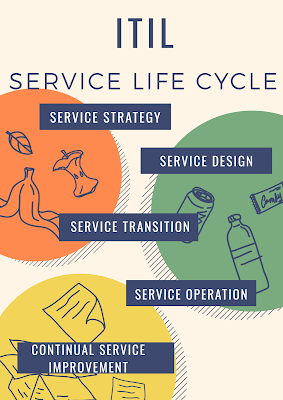
ITIL Process

ITIL Process Introduction In this Blog i am going to explain  ITIL Process, ITIL stands for Information Technology Infrastructure Library ...